
Card numbers never touch TruxCRM
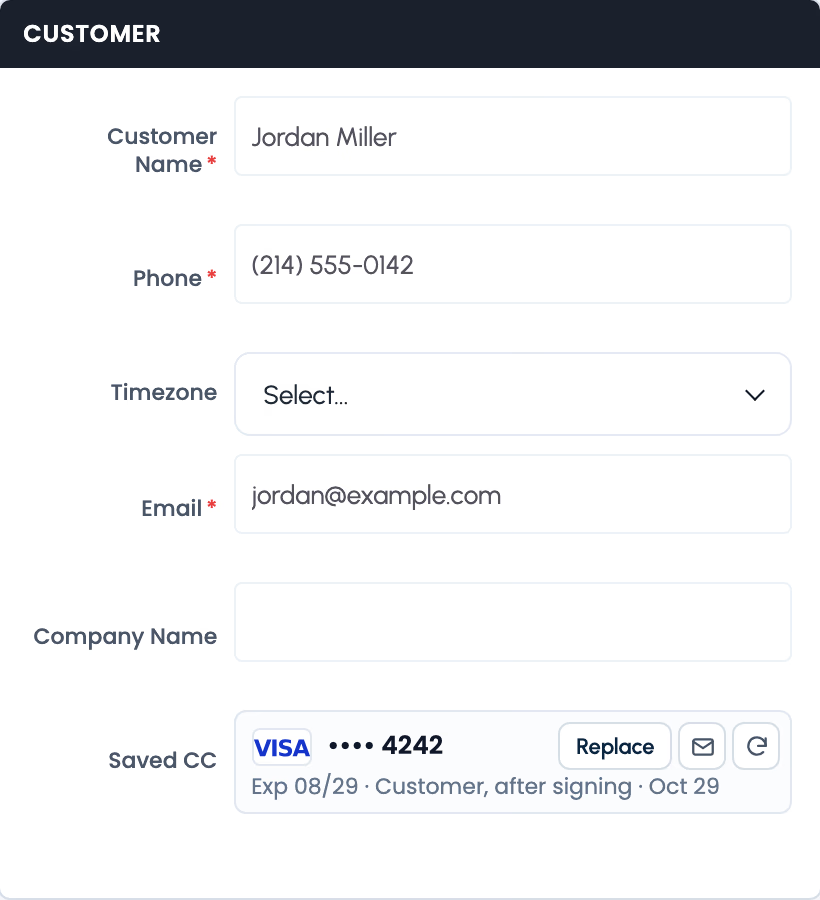
Your customer types their card on Authorize.net's own secure page. Authorize.net keeps it; TruxCRM only ever sees the brand, the last 4 digits and the expiry date.


Your customer saves their card on a secure Authorize.net page. You charge the broker fee from the order when you're ready, and they sign a receipt for it. The money goes straight to your own Authorize.net account.
Taking a card over the phone means writing numbers down, typing them into another website, and hoping nothing goes wrong. Then the charge has to be recorded on the order by hand, the receipt sent separately, and if the customer disputes it later, there's no signed proof they agreed.
Your customer types their card on Authorize.net's own secure page. Authorize.net keeps it; TruxCRM only ever sees the brand, the last 4 digits and the expiry date.
Turn on Card after signing on a quote or order. When the customer signs, the booking screen asks them to add their card in the same step. The order is booked either way.
Click Add card on the order, or Email link to send the customer a secure link that works for 7 days. The card shows up on the order the moment they save it.
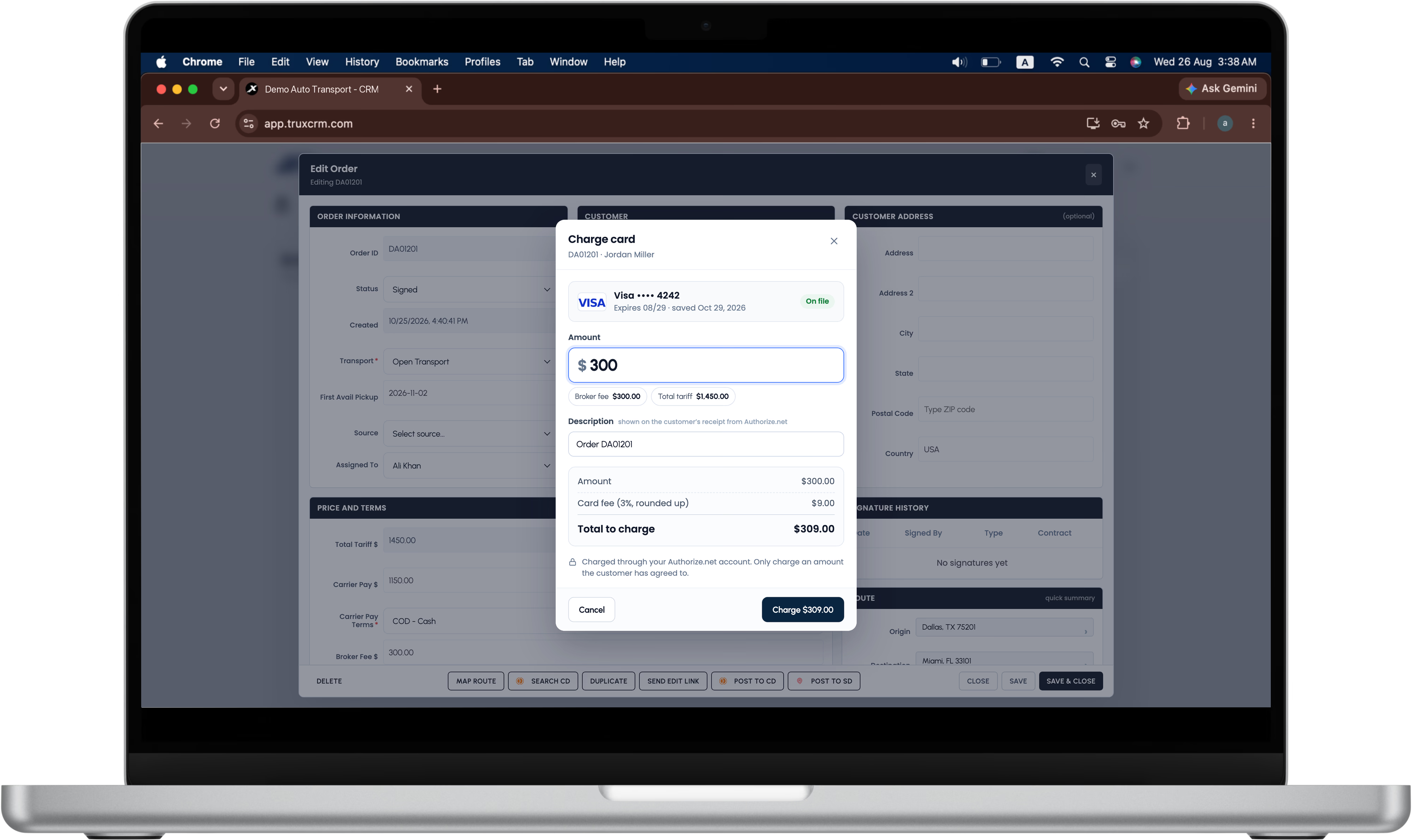
Charge card opens a simple window: the saved card, the amount (with one-click buttons for the broker fee and the total tariff), a description that appears on the customer's receipt, and the total. The charge is added to the order's Payment History automatically.
Set a percentage card fee in Settings → Payments, with the option to round it up to a whole dollar. The fee is shown in the Charge window before anyone charges, and on the customer's receipt. You decide whether staff can change it.
After each charge the customer gets an email to review and sign the receipt, with your terms and conditions. The signed PDF is saved on the order's Signature History: your proof if the charge is ever disputed.
Refund a card payment from the order with a short reason. TruxCRM voids it if it hasn't settled yet, so it never shows on the customer's statement, or refunds it to the same card if it has. The refund is recorded on the order with the reason.
A second click while a charge is in progress is refused, and Authorize.net also rejects an identical repeat. If the answer is slow, Check status asks Authorize.net what happened instead of charging again.
Admins can always charge and refund. Agents can only if you allow it in their profile, and only on their own orders. Every charge and refund is recorded with who did it.
Card payments in Payment History are locked: they can't be edited or deleted, so your totals always match Authorize.net.
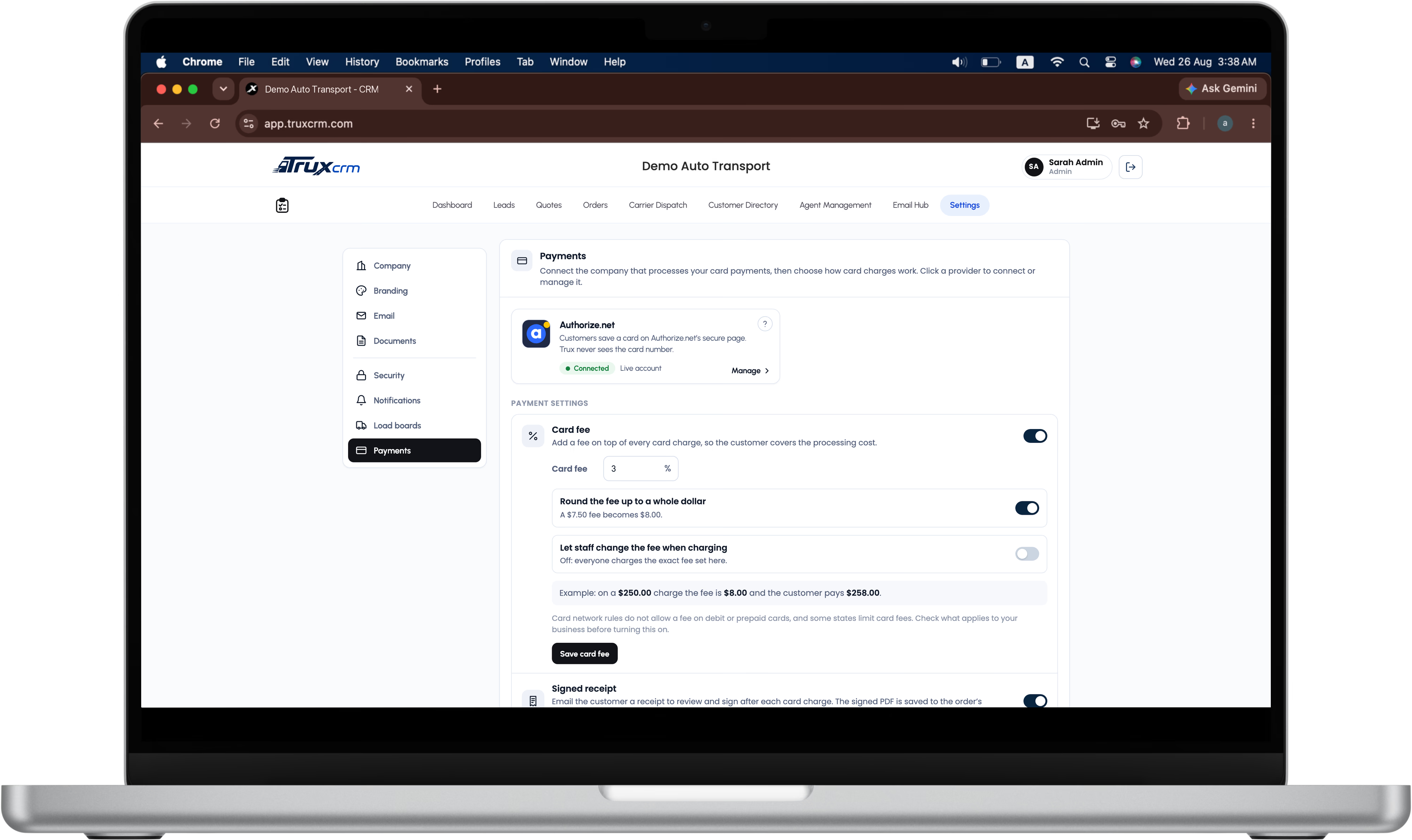
An admin enters your Authorize.net API Login ID and Transaction Key in Settings → Payments. TruxCRM checks them with Authorize.net before saving and stores the key encrypted.
At signing, or with a card link from the order.
Open the order, click Charge card, confirm the amount.
The customer signs the receipt, and the PDF is saved on the order.
Card payments run through your own Authorize.net merchant account. Payments go straight to it, and TruxCRM doesn't take a percentage.
Visa, Mastercard, American Express and Discover, whichever of them you choose to accept in Authorize.net.
When the customer saves a new card, the old one is removed from Authorize.net, so only the current card is kept.
Card payments are turned on per company. Ask us to switch them on for your account.
Card network rules don't allow a fee on debit or prepaid cards, and some states limit card fees. Check what applies to your business before turning the fee on.
The charge sits beside the quote, the signed order, the carrier and the invoice. The pricing page has the full plan.
No. Customers enter their card on Authorize.net's secure page and Authorize.net stores it. TruxCRM keeps only the brand, last 4 digits and expiry date.
Authorize.net, with your own merchant account. The money goes directly to you.
Yes. Set a percentage in Settings → Payments, with optional rounding up to a whole dollar. The fee shows in the Charge window before you charge, and on the customer's receipt.
Yes. Turn on Card after signing on the quote or order, and the signing screen asks for the card right after they sign.
From the order, with a short reason. TruxCRM voids the charge if it hasn't settled yet, or refunds it to the same card if it has, and records it on the order.
Only if an admin allows it in the agent's profile, and only on their own orders.
A receipt the customer reviewed and signed, saved as a PDF on the order.
Authorize.net is a trademark of its owner. TruxCRM is an independent product and is not affiliated with or endorsed by Authorize.net.
Book a demo and we'll show you a card saved at signing and charged in two clicks.